

Sponsored content in partnership with Iron Software.
Generating a PDF from HTML is relatively straightforward.
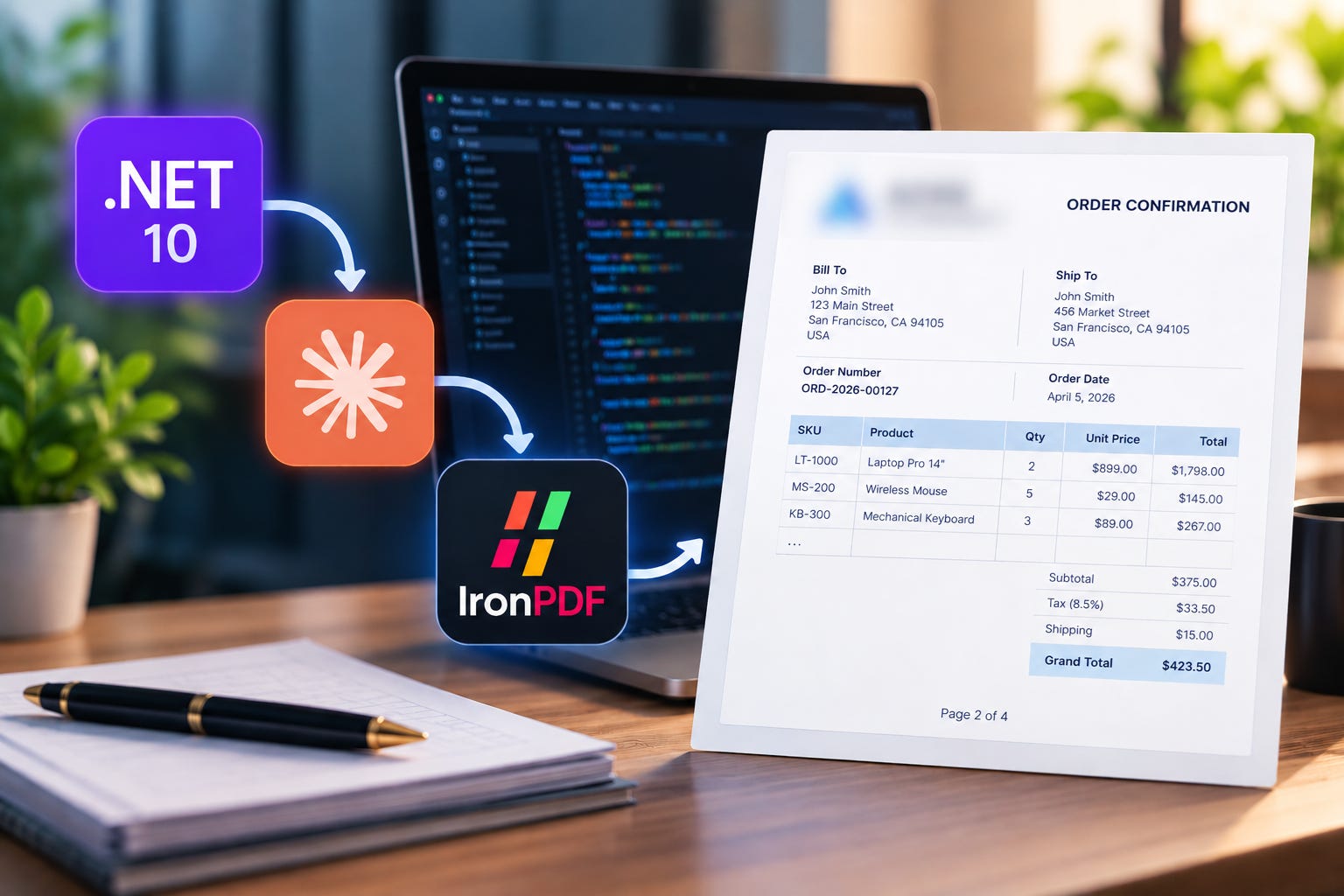
Building a production-ready PDF workflow inside an existing .NET application is a different challenge.
Once a PDF becomes part of a real business application, developers need to think about document structure, data mapping, branding, pagination, repeated table headers, headers and footers, assets, configuration, licensing, error handling, maintainability, performance, and testing.
This project explores a practical question:
How can a .NET developer use Claude Skills to implement a production-ready PDF workflow with IronPDF?
The goal is to use Claude Code + the official IronPDF Skill to help implement a structured .NET PDF workflow, while keeping the actual PDF generation deterministic and inside the application.
1. What Are We Building?
The starting point is an existing .NET application containing business data such as:
Company information
Customers
Products
Orders
Order items
The requirement is to add one business document workflow:
Order Confirmation PDF
The generated document includes:
Company branding
Customer information
Billing address
Shipping address
Order number
Order date
Product SKU
Product name and description
Quantity
Unit price
Discounts
Tax
Shipping charges
Subtotal
Grand total
Header
Footer
Page numbers
Automatic pagination
Multi-page order support
The important architectural decision is that PDF generation is isolated behind an application service rather than putting PDF-specific logic directly inside an API controller.
2. The Starting .NET Application
The project uses:
.NET 10
IronPDF 2026.9.2
ASP.NET Core
C#
HTML/CSS for document layout
IronPDF Chromium-based rendering
Claude Code during development
Official IronPDF Skill
The application contains sample order data so the complete workflow can be demonstrated without requiring an external production database.
The project also contains a small browser-based developer dashboard under:
wwwroot/index.htmlWhen the application starts, this page provides access to the sample orders and their generated PDFs.
The dashboard contains three scenarios:
Order Scenario Items
ORD-2026-00125 Simple order 3 line items
ORD-2026-00126 Discounted order 4 line items
ORD-2026-00127 Large order 65 line items
The large order is particularly useful for demonstrating multi-page PDF rendering.
3. Project Architecture
The high-level architecture is:
Existing .NET Application
          |
          v
      Order Data
          |
          v
     OrderPdfService
          |
          v
     HTML + CSS
          |
          v
       IronPDF
          |
          v
 Order Confirmation PDF
The development workflow adds Claude Code and the IronPDF Skill:
DEVELOPMENT TIME
Developer
    |
    v
Claude Code
    |
    v
Official IronPDF Skill
    |
    v
C# PDF Implementation
RUNTIME
Order Data
    |
    v
OrderPdfService
    |
    v
HTML + CSS
    |
    v
IronPDF
    |
    v
PDF
Claude Code runs during development; IronPDF generates the PDF at runtime, with no Claude involvement.
4. Why Claude Skills?
A coding agent can generate C# code, but specialized libraries often have APIs, configuration options, rendering behavior, and implementation details that an AI model needs to understand correctly.
A Claude Skill provides focused instructions and technical context for a specific technology.
For this project, the repository contains the official IronPDF Skill:
.claude/
└── skills/
    └── ironpdf/
        └── SKILL.md
The Skill should be obtained from Iron Software’s official source rather than recreated as an unofficial summary.
The development prompt also explicitly tells Claude:
Use the current official IronPDF documentation and Skill for IronPDF APIs and configuration.
And:
Do not invent IronPDF APIs.
That is an important safeguard when using AI-assisted development.
5. Installing the Official IronPDF Skill
The official IronPDF Skill can be placed in the Claude project directory:
mkdir -p .claude/skills/ironpdf
curl -o .claude/skills/ironpdf/SKILL.md https://ironpdf.com/skill.md
The repository should then contain:
.claude/
└── skills/
    └── ironpdf/
        └── SKILL.md
The official IronPDF documentation and Skill should be treated as the source of truth for IronPDF-specific APIs and configuration.
Official resources:
6. Project Structure
A production-oriented structure can look like this:
claude-ironpdf-dotnet/
├── src/
│   ├── OrderPdf.Api/
│   │   ├── Controllers/
│   │   ├── Program.cs
│   │   ├── wwwroot/
│   │   │   └── index.html
│   │   └── appsettings.json
│   │
│   ├── OrderPdf.Application/
│   │   ├── Interfaces/
│   │   ├── Services/
│   │   ├── DTOs/
│   │   └── Templates/
│   │
│   ├── OrderPdf.Domain/
│   │   ├── Entities/
│   │   └── Enums/
│   │
│   └── OrderPdf.Infrastructure/
│       ├── Services/
│       └── Data/
│
├── samples/
│   ├── simple-order.json
│   ├── discounted-order.json
│   └── large-order.json
│
├── output/
│   ├── sample-discounted-order.pdf
│   ├── sample-large-order.pdf
│   └── sample-order-confirmation.pdf
│
├── .claude/
│   └── skills/
│       └── ironpdf/
│           └── SKILL.md
│
├── docs/
│   ├── architecture.md
│   ├── claude-workflow.md
│   └── pdf-workflow.md
│
├── README.md
├── Claude.md
└── .gitignore
The exact folders can vary depending on the existing application. The important part is keeping the PDF workflow isolated and maintainable.
7. The PDF Service
The PDF generation should be hidden behind an application-level interface.
For example:
public interface IOrderPdfService
{
    Task<byte[]> GenerateAsync(
        Order order,
        CancellationToken cancellationToken = default);
}
The controller should not contain HTML construction or IronPDF rendering logic.
The flow should be:
Controller
    ↓
IOrderPdfService
    ↓
OrderPdfViewModel
    ↓
HTML/CSS Template
    ↓
IronPDF
    ↓
PDF bytes
This makes the workflow easier to test and gives the application a reusable boundary for future documents such as:
Invoices
Quotations
Delivery notes
Statements
Reports
8. The Order Confirmation PDF
The PDF is designed as a professional business document.
A typical document contains:
ACME TECHNOLOGIES
123 Business Avenue
Mumbai, Maharashtra
India

ORDER CONFIRMATION

Order: ORD-2026-00125
Date: September 20, 2026
Customer information:
Bill To                         Ship To

John Smith                      John Smith
john@example.com                42 Example Street
42 Example Street               Mumbai
Mumbai                          Maharashtra
Order items:
SKU	Product	                Qty	        Unit Price	Discount  Tax    Total
KB-001	Mechanical Keyboard	2	        $120.00	        $10.00    $20.00  $250.00
MS-002	Wireless Mouse	        3	        $45.00	        $0.00     $13.50  $148.50
Financial summary (illustrative calculation):
Subtotal before discount and tax  $375.00
Discount                         $10.00
Tax                              $33.50
Shipping                         $25.00
----------------------------------------
Grand Total                      $423.50
Calculation: $375.00 - $10.00 + $33.50 + $25.00 = $423.50.
These are illustrative values. In the application, financial values should come from the order/business logic rather than being calculated inside the HTML template.
9. The Claude Code Prompt
The main implementation prompt is:
Add a production-ready Order Confirmation PDF
workflow to this .NET application using IronPDF.

Use the existing Order and OrderItem models.

The PDF must include:

- Company branding
- Customer information
- Billing address
- Shipping address
- Order number
- Order date
- Product SKU
- Product description
- Quantity
- Unit price
- Discounts
- Tax
- Shipping charges
- Subtotal
- Grand total
- Headers
- Footers
- Page numbers
- Automatic page breaks
- Multi-page order support

Keep the PDF generation isolated behind an
application service and make the implementation reusable.

Use the official IronPDF Skill available in this project.

First inspect the existing application structure and models.

Then propose the implementation architecture.

After that implement the solution.

Use the current official IronPDF documentation and Skill
for IronPDF APIs and configuration.

Do not invent IronPDF APIs.

After implementation, build the project and fix any
compilation or runtime issues.
The prompt deliberately asks Claude to inspect the existing application first.
That is important because the goal is to add a capability to an application, not generate an unrelated sample from scratch.
10. Development Workflow
The implementation can be done in several iterations.
Step 1 — Analyze the Existing Application
Ask Claude to inspect:
project structure
existing entities
Order model
OrderItem model
dependency injection
configuration
existing services
API conventions
At this stage, ask Claude not to modify the code yet.
This allows the developer to review the proposed architecture first.
Step 2 — Implement the PDF Workflow
Claude can then implement:
PDF service interface
PDF service
PDF view model
HTML template
CSS
API endpoint
dependency injection
sample data
Step 3 — Generate the First PDF
Run the application and open:
https://localhost:7000The dashboard displays the sample orders.
Each order provides:
Order details
Customer information
Item count
Total quantity
Notes
PDF download
JSON view
The PDF endpoint follows this pattern:
GET /api/orders/{orderNumber}/pdfFor example:
GET /api/orders/ORD-2026-00125/pdf
GET /api/orders/ORD-2026-00126/pdf
GET /api/orders/ORD-2026-00127/pdf
11. The Developer Dashboard
The project contains a simple dashboard in:
wwwroot/index.htmlIt is a developer/demo interface that makes it easy to demonstrate the PDF workflow.
The dashboard shows:
┌──────────────────┐
│ Simple Order     │
│ Download PDF     │
└──────────────────┘

┌──────────────────┐
│ Discounted Order │
│ Download PDF     │
└──────────────────┘

┌──────────────────┐
│ Large Order      │
│ Download PDF     │
└──────────────────┘
It also exposes the developer API endpoints.
12. Three Sample Orders
The project uses three scenarios to demonstrate the workflow.
Scenario 1 — Simple Order
Order:
ORD-2026-00125This is the basic document scenario.
It demonstrates:
branding
customer information
order information
product table
totals
footer
page numbering
Scenario 2 — Discounted Order
Order: ORD-2026-00126
This demonstrates:
multiple line items
discounts
tax
shipping
financial summary
customer notes
This verifies that the PDF isn’t simply rendering a static list.
Scenario 3 — Large Order
Order: ORD-2026-00127
This contains:
65 line items
195 units
This is the most important document for testing pagination.
It allows us to validate:
multiple pages
repeated table headers
page numbers
header/footer behavior
long product descriptions
table row behavior
final totals
consistent layout
13. Generated PDF Output
The repository contains generated PDF examples under:
output/
├── sample-discounted-order.pdf
├── sample-large-order.pdf
└── sample-order-confirmation.pdf
These files are useful when reviewing the project without starting the application.
They also provide a quick way to compare changes to the PDF template during development.
For the final repository, generated PDFs can be retained as sample artifacts if their licensing and repository-size considerations are acceptable.
14. HTML + CSS to PDF
The document uses HTML/CSS as the layout layer.
This provides familiar controls for:
typography
spacing
tables
borders
alignment
branding
print layout
page-break behavior
IronPDF then renders the HTML into the final PDF using its supported Chromium-based rendering capabilities.
A simplified rendering flow is conceptually:
var renderer = new ChromePdfRenderer();

var pdf = renderer.RenderHtmlAsPdf(html);

return pdf.BinaryData;
The exact implementation should always follow the IronPDF version used by the project and its current official API documentation.
15. Page Breaks and Multi-Page Documents
This is where a PDF workflow becomes more interesting.
A five-item order can look perfect while a 100-item order exposes problems.
Potential issues include:
table rows splitting unexpectedly
totals appearing on the wrong page
excessive whitespace
headers disappearing
footer collisions
long descriptions breaking the layout
The large sample order is therefore an important part of the project.
The objective is not simply:
“Can IronPDF create a PDF?”
The objective is:
Can the application generate a predictable business document when the data becomes larger?
16. Headers, Footers and Page Numbers
Business documents commonly need persistent document information.
For example:
Header:
ACME TECHNOLOGIES | ORDER CONFIRMATION

Footer:
Page 2 of 4
A page-number footer can be configured with IronPDF’s TextHeaderFooter API:
renderer.RenderingOptions.TextFooter = new TextHeaderFooter
{
    CenterText = "Page {page} of {total-pages}"
};
This places the current page and total page count in the footer. Confirm the required namespace and API against the IronPDF package version used by the project.
For table headers and CSS pagination, consult these official troubleshooting guides:
The output should be visually checked across both single-page and multi-page documents.
17. IronPDF License Configuration
A production application should not commit a real IronPDF license key to source control.
The project should keep the configuration structure separate from the secret itself.
For example:
{
  "IronPdf.LicenseKey": ""
}
IronPDF automatically reads the flat IronPdf.LicenseKey setting from appsettings.json, according to its official license-key guidance. Keep the actual key out of source control. For deployment, use a secure configuration/secret mechanism and verify its key mapping for the target environment. If you use a nested configuration shape instead, explicitly assign it in Program.cs:
IronPdf.License.LicenseKey =
    builder.Configuration["IronPdf:LicenseKey"];
Important
Do not commit: REAL-IRONPDF-LICENSE-KEY to GitHub.
For production deployment, use an appropriate secret store or deployment environment variable.
18. Configuration and Deployment
A clean configuration approach is:
appsettings.json
        |
        | configuration structure
        v
Environment / Secret Store
        |
        | actual license key
        v
Application
        |
        v
IronPDF
This keeps sensitive credentials out of the public repository.
The same principle applies to:
API keys
database passwords
cloud credentials
third-party service secrets
19. Production Considerations
A demo can work with one HTML string.
A production application needs more thought.
Data Validation
Validate the order before document generation.
For example:
Order exists
Customer exists
Items exist
Required company information exists
Currency is known
Required addresses are available
Money Calculations
Use decimal for financial values.
The business/application layer should calculate:
Subtotal
- Discount
+ Tax
+ Shipping
= Grand Total
The HTML template should primarily display those values.
It should not become the source of truth for financial calculations.
Asset Management
Logos, fonts, CSS and other assets should be handled deliberately.
Do not depend on developer-specific local paths such as:
C:\Users\Developer\Desktop\logo.pngProduction environments will not have those paths.
Use application-managed assets and configuration that works consistently across environments.
Security
If HTML contains user-controlled values, treat those values carefully.
Avoid blindly inserting arbitrary HTML from users into the document template.
This is particularly important when customer or order data can originate from external systems.
Performance
Large PDF documents can consume more CPU and memory than small documents.
Test realistic document sizes.
For high-volume systems, consider whether PDF generation should happen:
synchronously for small documents
asynchronously through a background job for larger documents
The correct choice depends on the application’s workload and user experience requirements.
Observability
A production PDF workflow should provide useful diagnostics.
For example:
OrderPdfGenerationStarted
OrderPdfGenerationCompleted
OrderPdfGenerationFailed
Useful diagnostic information can include:
Order ID
document type
generation duration
page count
failure reason
correlation ID
Avoid unnecessarily logging sensitive customer information.
20. Testing Strategy
A production-oriented PDF workflow should be tested at multiple levels.
Unit Tests
Test:
order-to-view-model mapping
financial values
formatting
edge cases
missing values
Integration Tests
Test:
API endpoint
PDF service
IronPDF integration
generated document
Visual Tests
Open generated PDFs and inspect:
layout
typography
tables
pagination
headers
footers
totals
branding
Large Data Tests
Generate documents with:
10 items
50 items
100 items
The goal is to establish predictable behavior for realistic production scenarios.
21. Ask Claude to Review the Implementation
Once the first implementation works, ask Claude to perform a production-readiness review.
Example prompt:
Review the current Order PDF implementation for
production readiness.

Check:

- architecture
- dependency injection
- resource management
- error handling
- HTML generation
- security
- performance
- maintainability
- testability
- large-order behavior
- pagination
- headers and footers
- asset handling
- logging

Identify concrete improvements and implement them
where appropriate.

Do not introduce unnecessary abstractions.

Use the current official IronPDF documentation
for any IronPDF-specific changes.
The developer should then review the suggested changes, build the project, run the tests, and inspect the resulting PDFs.
AI-generated code should still go through normal engineering review.
22. What Claude Skills Actually Change
The interesting part of this experiment isn’t simply that Claude can write C#.
The important question is whether giving the coding agent specialized technology context can make the implementation workflow more focused and reliable.
Compare:
Create a PDF in .NET.with:
Inspect this existing .NET application.

Use the official IronPDF Skill available
in the project.

Implement a reusable Order Confirmation
PDF workflow.

Use the current official documentation.

Do not invent APIs.

Build and validate the implementation.
The second approach gives the agent:
a real application
a real business requirement
specialized technical context
architectural constraints
validation requirements
That is much closer to how developers actually work.
23. What the Developer Still Has to Do
The developer still needs to:
understand the existing architecture
review generated code
validate business calculations
check security
run the application
inspect the generated PDFs
test large documents
review dependencies
configure secrets
validate production deployment
decide what should actually be merged
The AI agent accelerates parts of the workflow.
It does not replace engineering ownership.
24. Final Demo Flow
For a technical demonstration, I would present the project in this order.
1. Show the existing .NET application
Explain the Order, Customer, Product and OrderItem data.
2. Explain the requirement
“We need to add a professional Order Confirmation PDF workflow.”
3. Show the project structure
Explain where the new PDF capability will live.
4. Show the official IronPDF Skill
Open: .claude/skills/ironpdf/SKILL.md
5. Show the Claude prompt
Explain the requirements.
6. Let Claude inspect the application
Show the architecture it proposes.
7. Implement the workflow
Show:
Controller
    ↓
OrderPdfService
    ↓
HTML/CSS
    ↓
IronPDF
8. Run the application
Open: https://localhost:7000
9. Generate the simple order
Click: Download Order Confirmation PDF
10. Generate the discounted order
Show the financial information.
11. Generate the large order
This is the main PDF demonstration.
Show:
multiple pages
repeated table headers
page numbers
headers/footers
branding
totals
12. Show the generated files
Open:
output/and show:
sample-order-confirmation.pdf
sample-discounted-order.pdf
sample-large-order.pdf
13. Ask Claude for a production review
Show the review and improvements.
14. Build and test
Run the application and tests again.
15. Show the GitHub repository
The final repository should contain the complete implementation and documentation.
25. How to Run the Project
Clone the repository:
git clone https://github.com/KanaiyaKatarmal/claude-ironpdf-dotnet.git
cd claude-ironpdf-dotnet
Restore dependencies:
dotnet restoreBuild the solution:
dotnet buildConfigure the IronPDF license using your preferred secure configuration mechanism.
For local development, you can store the IronPDF license key in appsettings.json. Do not commit this file with your actual license key to source control.
{
  "IronPdf.LicenseKey": "YOUR_LICENSE_KEY"
}
Do not commit a real key to GitHub. For production, use a secret store or deployment configuration supported by your environment.
Then run the application:
dotnet runOpen the URL shown by ASP.NET Core, for example:
https://localhost:7000
The developer dashboard will display the sample orders.
From there you can:
View sample order information.
Download the Order Confirmation PDF.
View the underlying JSON.
Compare the simple, discounted and large-order outputs.
26. API Endpoints
The sample application exposes endpoints similar to:
GET /api/orders
GET /api/orders/{orderNumber}
GET /api/orders/{orderNumber}/pdf
Example:
GET /api/ordersreturns the available sample orders.
And:
GET /api/orders/ORD-2026-00125/pdf
GET /api/orders/ORD-2026-00126/pdf
GET /api/orders/ORD-2026-00127/pdf
generates the corresponding Order Confirmation PDF.
27. Repository and Sample Output
The GitHub repository should include:
.NET source code
Order models
PDF service
HTML/CSS templates
sample data
official IronPDF Skill
Claude workflow documentation
architecture documentation
tests
sample generated PDFs
Generated examples are available under:
output/including:
sample-order-confirmation.pdf
sample-discounted-order.pdf
sample-large-order.pdf
28. Try It Yourself
GitHub Repository:https://github.com/KanaiyaKatarmal/claude-ironpdf-dotnet
After cloning the repository:
git clone https://github.com/KanaiyaKatarmal/claude-ironpdf-dotnet.git
cd claude-ironpdf-dotnet
dotnet restore
dotnet build
dotnet run
Then open the application URL shown in the terminal.
The developer dashboard gives you access to the three sample Order Confirmation PDF scenarios.
29. Key Takeaway
The main lesson from this project is not:
“AI can generate a PDF.”
The more interesting lesson is:
AI-assisted development becomes more useful when the agent has the right technical context and is given a real engineering problem.
In this workflow:
Existing .NET Application
        ↓
Real Business Requirement
        ↓
Claude Code
        ↓
Official IronPDF Skill
        ↓
C# PDF Architecture
        ↓
HTML + CSS
        ↓
IronPDF
        ↓
Generated PDF
        ↓
Testing + Developer Review
Claude helps accelerate the development process.
The IronPDF Skill provides specialized technology context.
The .NET application owns the business logic.
IronPDF handles the runtime PDF generation.
And the developer remains responsible for validating the final implementation.
30. Final Architecture
   DEVELOPER
                             |
                             v
                       Claude Code
                             |
                             v
                  Official IronPDF Skill
                             |
                             v
                    C# PDF Architecture
                             |
                             v
                      OrderPdfService
                             |
                             v
                        HTML + CSS
                             |
                             v
                          IronPDF
                             |
                             v
                  Order Confirmation PDF
                             |
                             v
                    Validation + Testing
                             |
                             v
                       GitHub Repository
The practical takeaway is simple:
Give the AI agent the right context, give it a real engineering problem, let it implement and iterate, and validate the result like any other production code.
Official Resources
About This Project
This project demonstrates a practical .NET PDF workflow using Claude Skills and IronPDF.
It focuses on a realistic business scenario generating professional, multi-page Order Confirmation PDFs from existing .NET application data rather than treating PDF generation as an isolated code sample.
The repository is intended to make the complete workflow reproducible:
Clone
  ↓
Configure
  ↓
Run
  ↓
Open Developer Dashboard
  ↓
Generate PDFs
  ↓
Inspect Output
  ↓
Review Implementation